1) For any questions, contact us at chargebacks@defynepay.com.
2) A **retrieval request** is issued when a cardholder disputes a charge with their bank. This is **not** a financial billing event. Merchants should submit an invoice and/or signed sales draft. **Retrieval requests are not uploaded to DmsSignin.com**; only financial billing events are currently posted. We’re adding a retrieval request section soon.
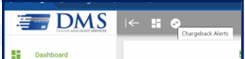
3) Notifications for “Chargeback Alerts” are shown in the top toolbar of your login. Click to expand and view recent alerts.
4) Debits may occur before receiving Chargeback information, as details are **mailed/faxed** on the same day. To receive Dispute information faster via fax, please contact us.
5) Reach our Chargeback Call Center at (866) 637-5467 or email chargebacks@defynepay.com.
6) In DmsSignin.com, click “Chargebacks” in the left menu or “Chargeback Info” at the bottom to submit documentation.
7) When submitting documentation, include the signed credit card receipt, invoice, and signage showing two pricing options. **Do not** refer to the price difference as a fee.
8) Add a disclaimer to all invoices (Repair Orders, Parts Invoices, Buyers Orders) with the following (consult legal counsel before adding disclaimers to your documents): **“All pricing listed reflects Cash Pricing.”**
9) We’ve added a disclaimer on the **Customer Copy** of credit card receipts. Include a copy of the receipt showing this text:
**“There is a 3% processing fee on all Credit Cards, not greater than our cost of acceptance. No fee for Non-Credit Card transactions.”**
10) Banks often side with the customer, seeking reasons to avoid paying disputes.
11) Some transactions may trigger a **Risk Review**, delaying the deposit by an extra day. Excessive refunds often cause this.